Notability Learn
Designing Notability's active studying experience for students.
- Role
- Product Designer
- Timeline
- 2025 - Present
- Team
- Maya Muranaka, Chad Jensen, Gabi Parsons
Overview
How can Notability expand from a note-taking canvas to a study center for students?
Notability is an ed-tech note-taking application that has over 4 million subscribers worldwide. In 2024, they expanded into the study tool and productivity space with the AI product Notability Learn, which aims to empower students with active-recall study methods.
Learn takes student notes and turns them into super-powered study guides
Notability's Learn feature transcribes written notes and audio lectures and then summarizes them into "Smart Notes". These Smart Notes are also parsed in order to create study mateirals such as Quizzes, Flashcards and more.
But creating a study tool with an app dedicated to canvas had its challenges...
We were working with a canvas-specific interface, and struggled with where to insert this new feature, how to convey it to users, and what to include within it to create a seamless studying experience.
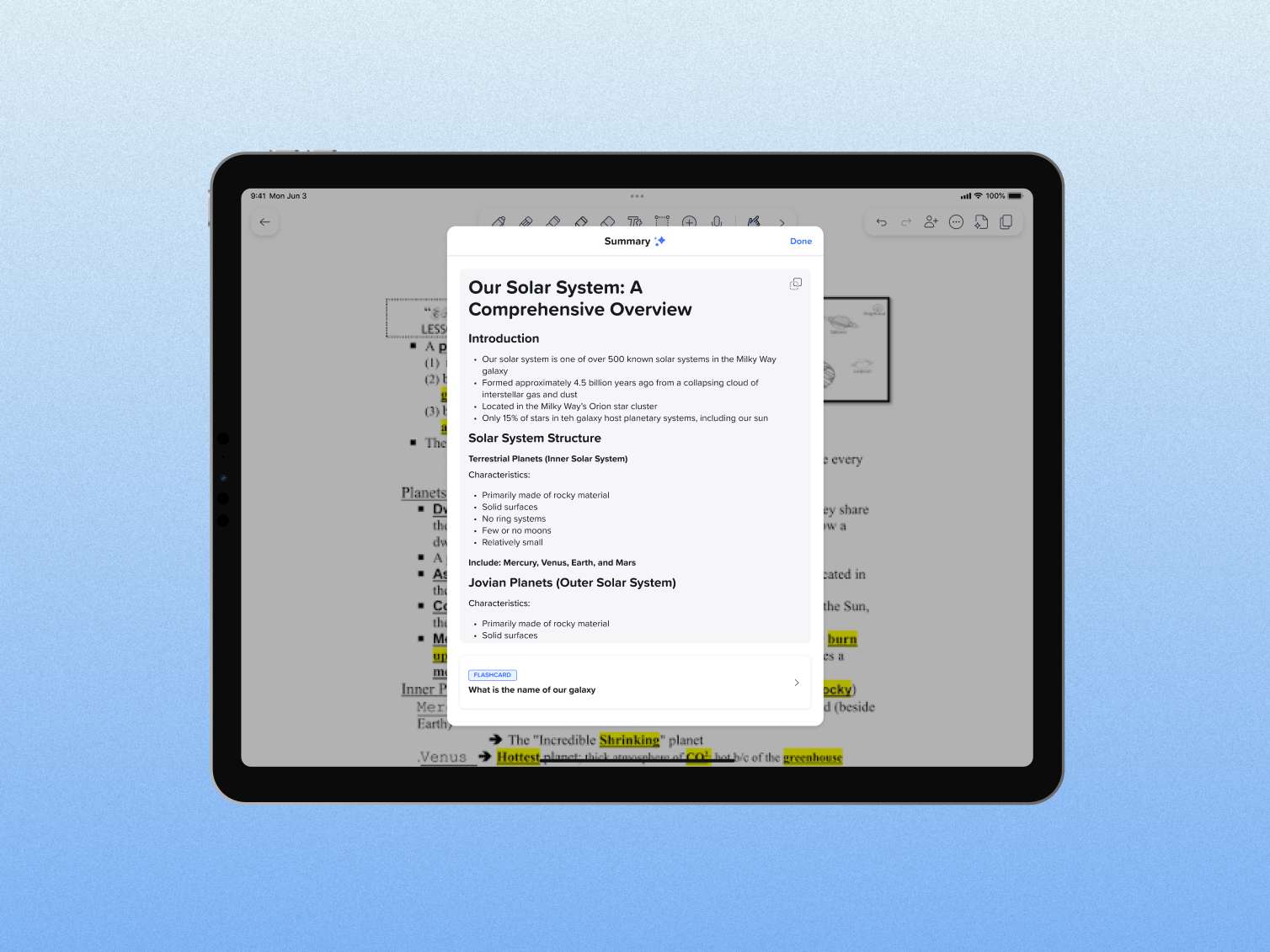 The first version of Learn, which was accessed through an icon in the top right toolbar.
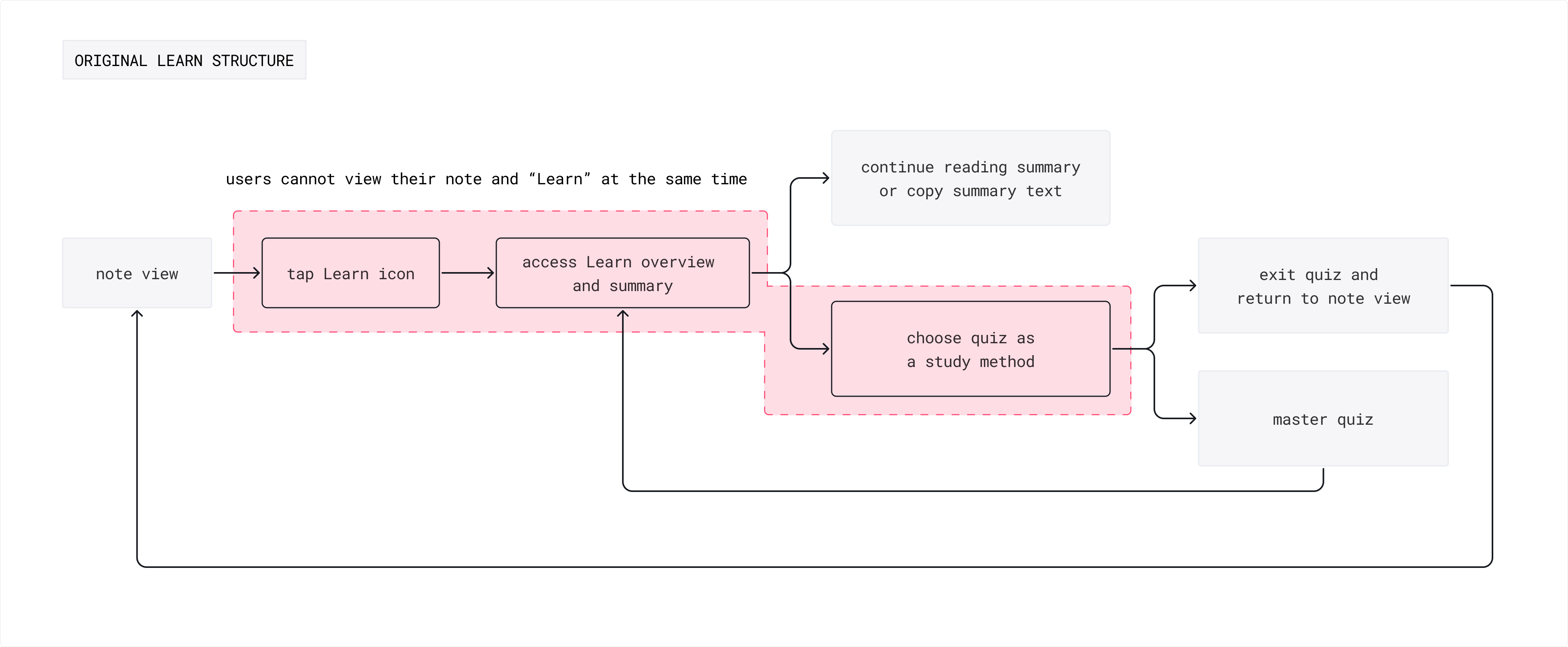
Early versions of Learn existed as a modal/popover opened while covering the note, but users wanted more. In addition to having a more flexible way to study, users wanted additional Learn features and more comprehensive and controlled ways to study. On the internal side, we were recieving design feedback that we should allow users to compare their notes and study at the same time.
Goals and Research
As a product designer for Learn, I was tasked with re-designing and streamlining the way students study when they use Notability.
I worked with the rest of our design team and our user researcher in order to extract insights. We wanted our updated product to target a few key goals, including:
- Increase subscriber retentionIncrease both our subscriber retention rate and the number of new subscribers in our highest tier that included our study tools, Pro.
- Provide active-recall studyCreate a place where users could employ active-recall methods to improve their grades and make more use of their notes.
- Expand into the productivity spaceUtilize this new space as a future territory where we could slowly expand into the student productivity market.
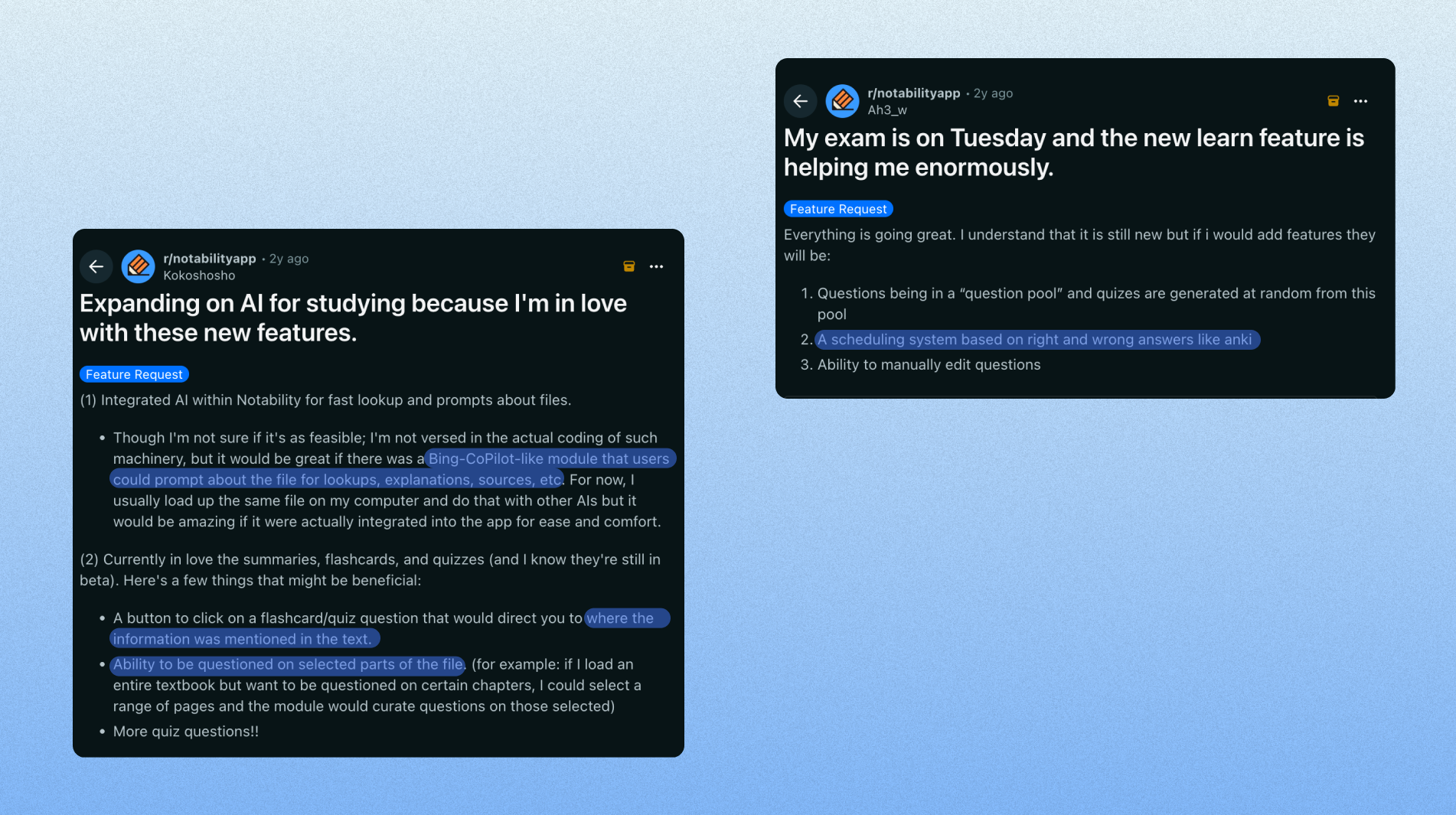
I combed through multiple databases while conducting my own user research interviews in order to understand students' Learn experiences.
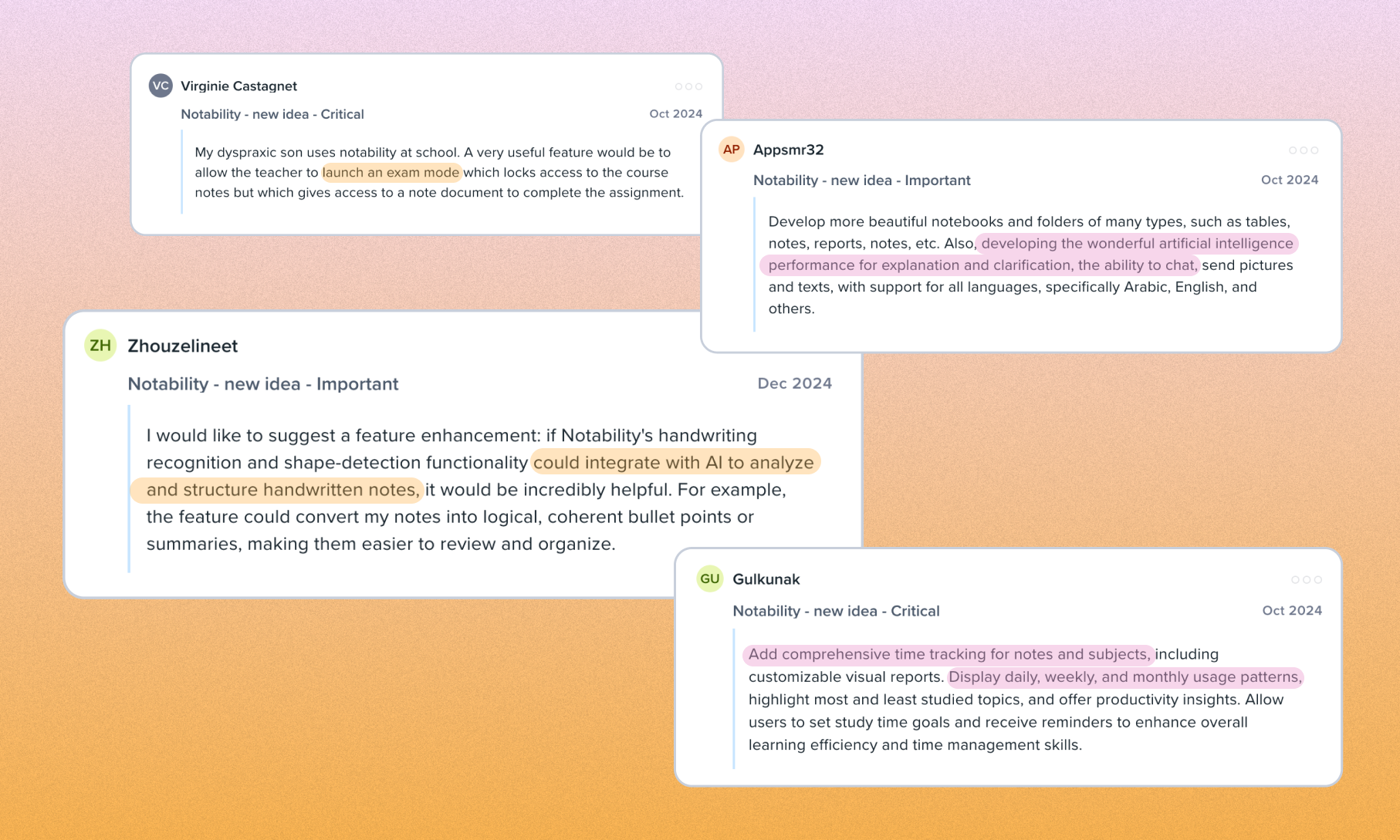 Initial insights from Productboard users who wanted Learn AI and much more -- including active-recall/study methods in Notability, chat features, and study statistics.
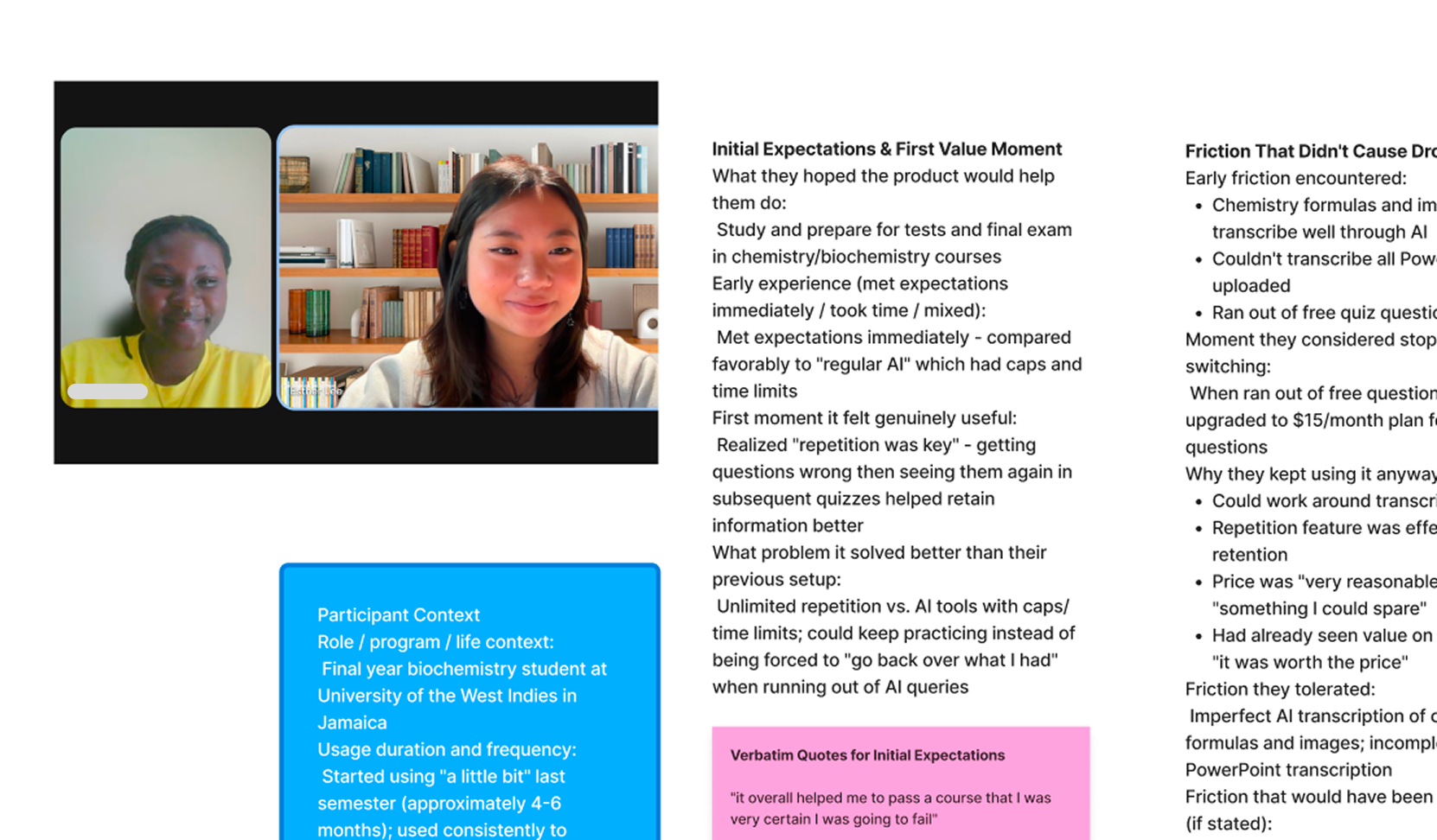 I conducted ~15 user interviews with student Notability users from across the world to understand their stances towards AI, their workflows within Notability, and more.
We had a breadth of user data from Reddit, Productboard, and student interviews done with Notability users. I compiled these insights and saw a few common themes, including:
- AccessibilityUsers with accessibility issues and learning disabilities enjoyed utilizing AI for note transcription and studying
- ControlUsers wanted more control in their studying flows -- including importing their own flashcards and getting to choose question difficulty.
- Anti-AISome users wanted to reject AI completely and were not fans of interference within their studying flows.
All of the insights above were expected, and I came out of the research process wanting to create something with modality but to also respect users who didn't want an entry point that interfered with their studying.
Building the Learn Panel
I researched competitors and structured the Learn panel in a way where you could see different study types and features.
I started with comparing Notability with our competitors, mainly other study and education apps. A main difference I noted was that many of these competitors had active study content at the forefront of their product, rather than just notes.
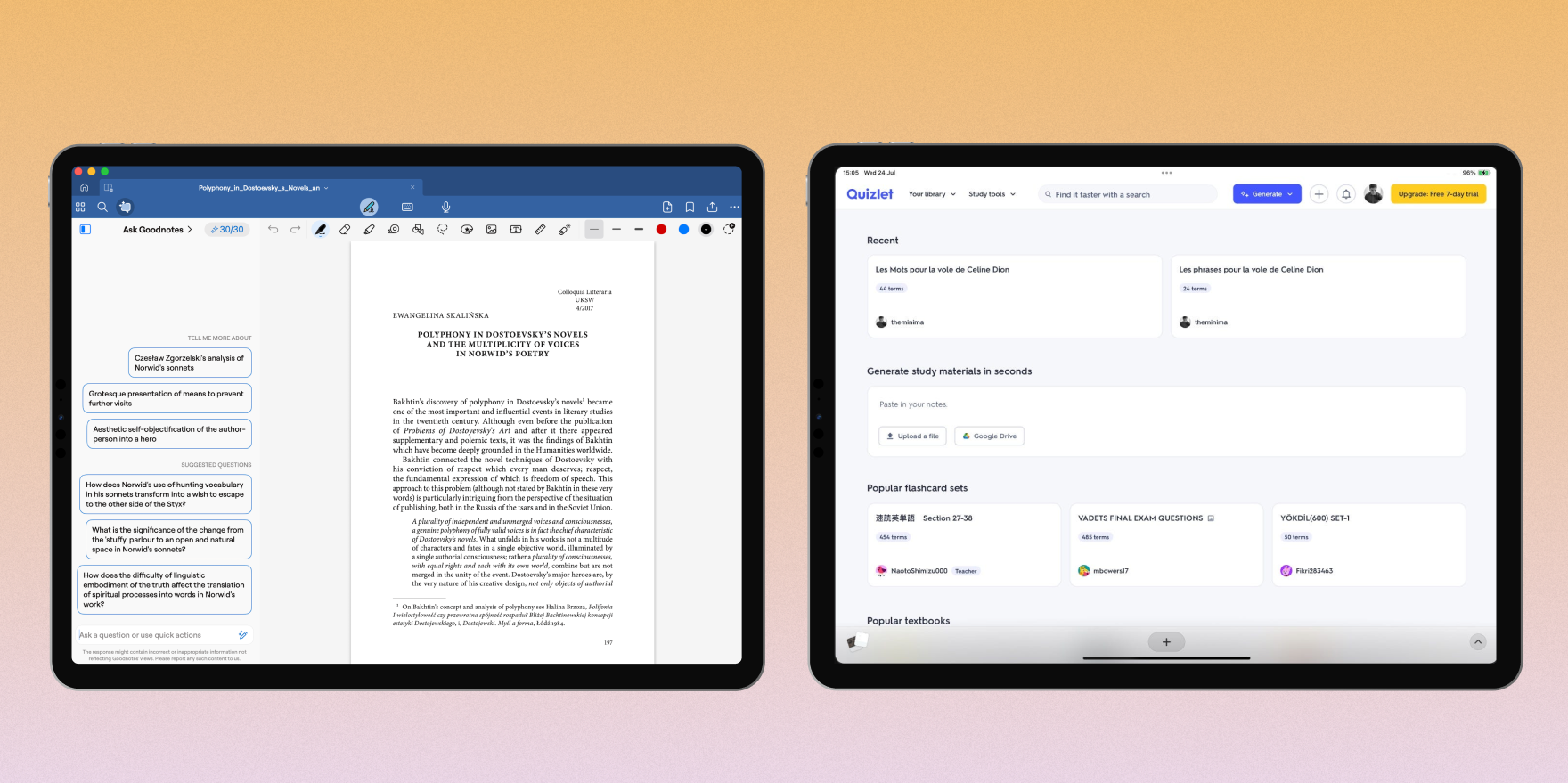 Some competitors I researched included Goodnotes, who had employed an "Ask Goodnotes" chatbot aside a user's note, and Quizlet, which now allowed users to upload notes and turn them into study guides.
We first released an MVP of the Learn side-panel and waited for user feedback on additional features.
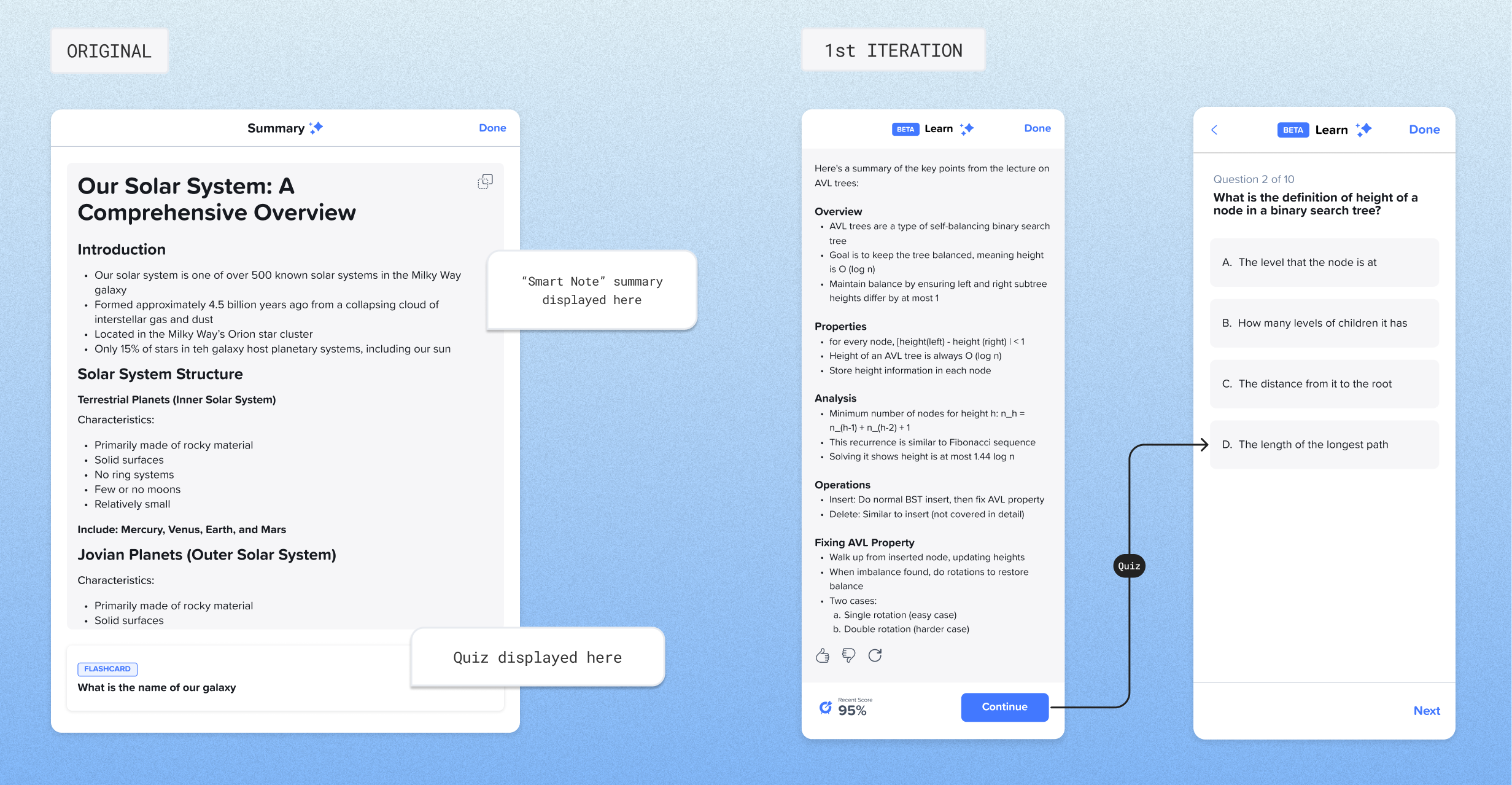 A MVP of the Learn Panel that focused on storing Learn features within a side panel.
 We saw from users that enjoyed Learn that people wanted more features,such as a chat function, control over questions, and a place to overview their studying.
With the feedback we received, I built out a new structure of the Learn side-panel with more visibility.
In my research, I had found that people wanted "comprehensive time tracking" for their studying habits, a clear and easy-to-use display of study tools, and more functionality in their quizzes and study aids.
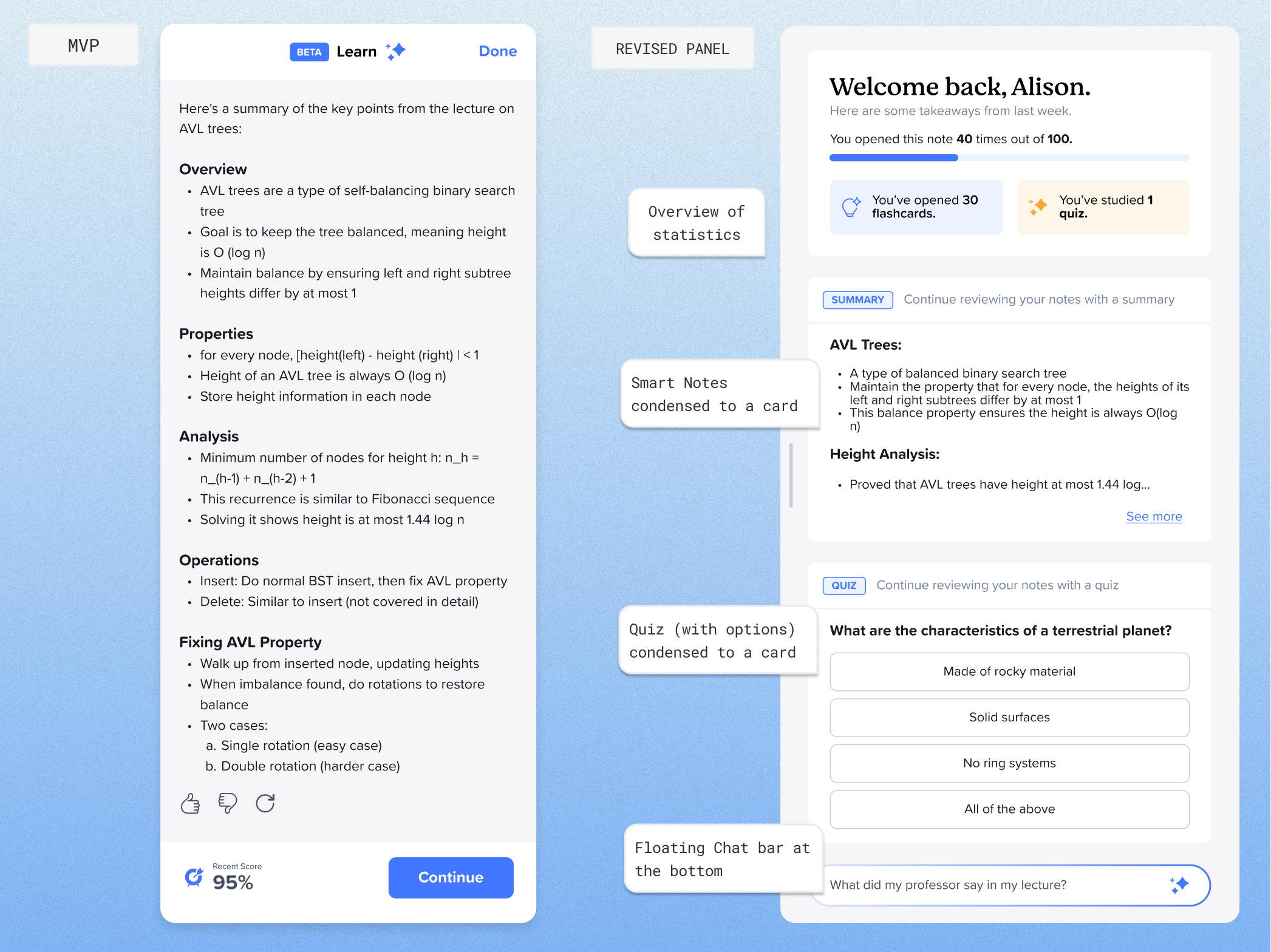 I added a card with studying statistics, a quiz card, and a chatbot (a feature I eventually owned in another project)
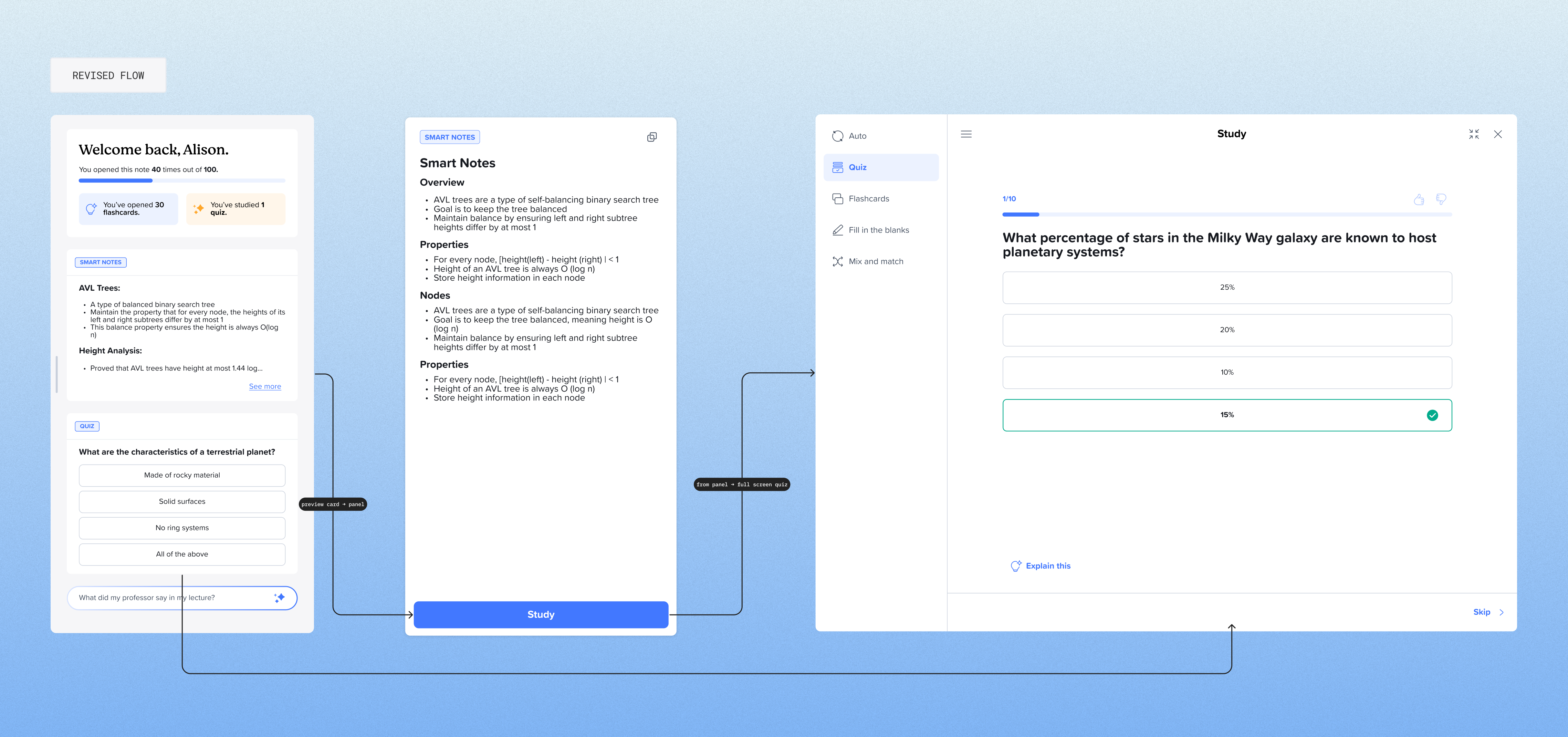 I also helped revise the flow so that the Quiz method could be reached from either the preview card or after reviewing a summary. )
The Learn feature continues to grow...
Between June of 2025 and present day, I implemented three new Learn features: Mix-and-match terms and definitions, spaced repetition flashcards, and the "Chat with your notes" feature.
The mix and match feature, shipped July 2025.
Final flows
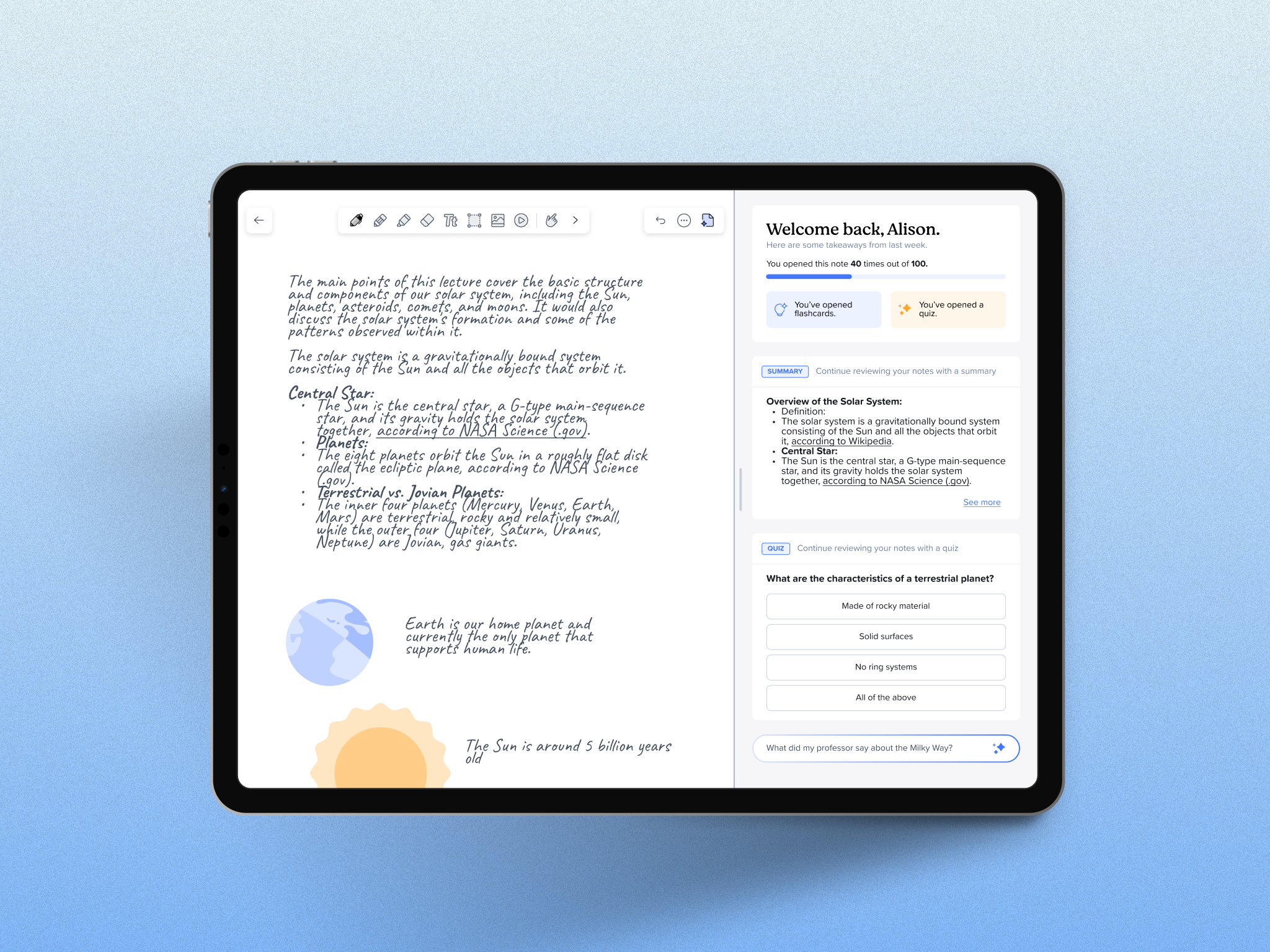
A seamless transition between side-by-side studying to full-screen quiz mode
The Learn experience in-app.
Impact
Notability Learn has helped students answer 220 million quiz questions in the past year
Notability Learn has helped students answer 220 million quiz questions in the past year. As of March 2026, there were over 60K active Learn users, as compared to 20k active Learn users recorded in June of 2025.
This was one of my first projects I shipped at Notability
I didn't know when I first began researching for the Learn feature that it would encompass the bulk of my work at Notability, but I'm so grateful to work for a feature that has helped thousands of students better ace their exams and understand their material.
Reflections
 Notability's unofficial mascot, Inky the goose.
A few lessons I learned along the way:
Building alongside AI is not as easy as connecting models
I learned while working with engineers that just because prototypes feel like magic, building them and connecting to clients/working AI in within existing infrastructure is much more difficult than it looks. I learned to compromise on certain details while maintaining functionality and purpose.
I learned to center user resarch while recognizing organizational constraints
I read so many Reddit threads, Productboard insights, and user interview comments in this process -- but I could only answer to some of them. When given the resources, I pushed for features that could target user concerns, and I learned to recognize what was realistic within engineering boundaries.